Japan eSIM Activation Guide: Easy Setup
How to Activate Your Japan eSIM: Step-by-Step Guide
How to Activate Your Japan eSIM: Step-by-Step Guide
“Japan. Endless Discovery.”
You’ve just landed at Haneda Airport, supercharged to explore, and within moments, you’re online. It just feels right, doesn’t it?
“Japan. Endless Discovery.”
You’ve just landed at Haneda Airport, supercharged to explore, and within moments, you’re online. It just feels right, doesn’t it?
Whether you're going for business, adventure, or culture, mobile network connectivity is one thing that defines your overall visiting experience. You need an active data plan if you wish to interact with people by boarding the train, translating menus, or sharing pictures of your sushi.
One of the biggest challenges for international visitors is staying connected. Upon arrival, you may find yourself scrambling to find a local SIM for tourists in Japan, navigating language barriers at mobile kiosks, or dealing with long lines at the airport. For many, the hassle of setting up a mobile plan is an unnecessary stress that detracts from the excitement of the trip.
This is where the Japan eSIM helps.
In this blog, we will discuss what an eSIM card is, how you can check the eSIM-compatible devices, and give you an exact step-by-step process to activate your Japan eSIM within minutes.
What 's an eSIM Card?
An eSIM is a digital SIM card that works like a real one. It's already in your phone or tablet (devices with eSIM support), so you don't have to put in or swap cards to start a mobile plan. You can get a data plan for your phone right away. It’s simple: Scan a QR code, select a plan, and go browsing with an eSIM card for Japan.
An eSIM for Japan is an easy, flexible, and environmentally friendly way for tourists to stay in touch all over the country, from Tokyo to Kyoto and beyond.
Why Choose a Japan eSIM?
Here is why the travelers prefer to have a Japan eSIM rather than the traditional SIMs:
Instant activation: No need to sight for a SIM kiosk or delivery to arrive.
Strong connectivity: Enjoy a reliable, high-speed internet connection throughout Japan, ensuring you stay connected wherever you go.
Keep your existing number: You can use your home SIM for essential banking texts or calls, while your Japan eSIM is just the data SIM.
No physical swapping: Everything is digital, apt for the newest phones with no SIM slots.
Multiple plans available: Add or swap plans in a few minutes, whether for a short or a long stay.
Environment-friendly: No plastic wastage or packaging.
Convenience: Manage your connectivity easily from your phone settings without visiting physical stores.
If you’re looking for a SIM for tourists in Japan, an eSIM is the smartest and most efficient choice.
Step-by-Step Guide to Activate Your Japan eSIM
Activating your Japan eSIM is simple and fast. Follow these steps to get online quickly:
Step 1: Verify that your device works with eSIM
Check whether your smartphone or tablet supports eSIM before you buy. Most new devices can use it, but it's advisable to check again.
Popular eSIM-compatible devices include
iPhone XS, XR, 11, 12, 13, 14, 15, 16, and 17
Google Pixel 3 and higher
Samsung Galaxy S20, S21, S22, S23, S24, S25, and newer models
iPads with cellular capability (iPad Pro, iPad Air, iPad mini with eSIM)
If your device is on this list, you’re ready to experience the convenience of Japan eSIM.
Step 2: Choose the Best Japan eSIM Plan
Visit Japan Sims to browse plans that match your trip length and data needs.
Visitors for short-term (3–7 days): Choose a travel eSIM Japan plan with a few GB of high-speed data.
Longer-term stays (2–4 weeks): Opt for an unlimited or larger data plan for constant navigation, streaming, and sharing.
Business travelers: Select a stable plan with strong nationwide coverage.
All Japan Sims eSIM plans are designed for tourists, ensuring smooth connectivity across all major cities and rural areas.
Step 3: Purchase and Receive Your eSIM QR Code
Once you have selected your plan:
Complete the purchase on the Japan Sims website.
You will receive an email with an eSIM QR code along with installation instructions.
Make sure your phone has a stable internet connection (Wi-Fi recommended).
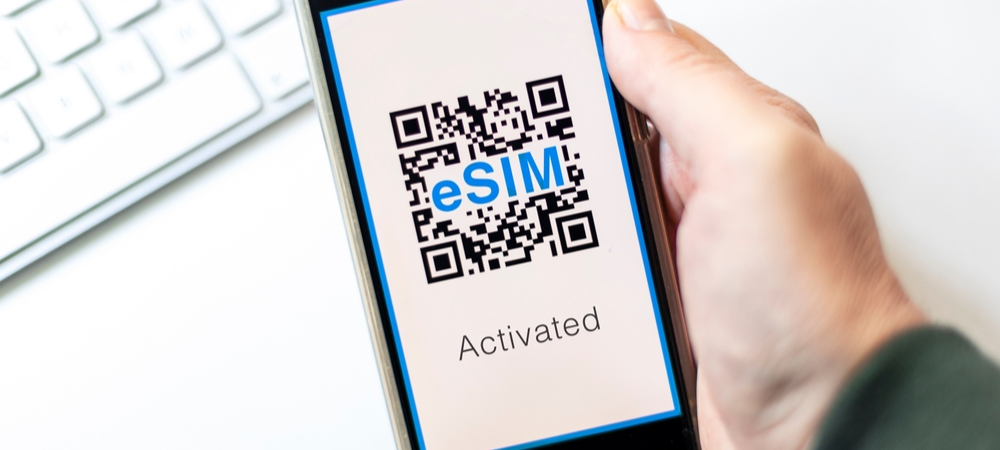
This QR code contains your virtual SIM details. Scanning it installs your mobile profile instantly.
Step 4: Install Your Japan eSIM Profile
Now comes the exciting part: activating your eSIM.
For iPhone users:
Go to Settings > Mobile Service > Add eSIM or Add Cellular Plan.
Scan the QR code sent to your email from Japan Sims.
Wait for a couple of moments as your phone installs the profile.
Choose the new plan as your data line and turn on mobile data.
For Android (Samsung, Pixel, etc.):
Start from Settings, Connect, and from there, SIM Manager > Add eSIM.
Choose Scan QR from the service provider.
Go ahead and scan your Japan SIM eSIM QR code.
Once done, confirm installation and activate your new data plan.
Within a minute, your eSIM will be live and ready to use.
Step 5: Connect and Enjoy Fast Internet in Japan
The moment you activate, start using your Japan eSIM data plan and enjoy the country's high-speed 4G/5G networks. Now you can use:
Use Google Maps for directions.
Translation apps to communicate.
Social media to share your experiences.
Video calling apps to stay in touch with friends and family.
There is no need for Wi-Fi hunting or switching SIM cards; just convenience.
Step 6: Manage Your eSIM While Traveling
With your virtual SIM card in Japan, you can easily monitor and control data usage.
Tips to get the most from your plan:
Enable Data Saver Mode if your plan has a limited data cap.
Turn off the background app refresh for non-essential apps.
Use Wi-Fi at hotels or cafes when possible.
If you need more data, you can top it up or add a new plan directly to the Japan Sims website.
Troubleshooting Tips
If you face any issues while setting up or using your eSIM:
Ensure your device is unlocked and supports eSIM.
Enable mobile data for your Japan SIMs profile.
Restart your phone after installation.
Check that you’re connected to the KDDI network
Still having trouble? The Japan Sims support team is always available to help travelers quickly establish a connection.
Most Adopted Data-Saving Tips
Check out what most travelers do to prolong the usage of their Japan eSIM.
Disable Data on Physical SIM: If use of the physical SIM is going to be kept active, then it is wise to disable mobile data on that SIM to prevent surprise roaming charges.
Use Wi-Fi When Possible: This is a great way to save your eSIM data, especially in hotels and cafes.
Keep Tabs on Your Data Usage: If you have a limited plan, make it a habit to check usage in settings regularly to avoid going over.
Have Support Numbers Ready: In case you need help, save the contact information of your eSIM provider's support staff.
Be Ready for Emergencies: Make a list of important contacts and store them offline just in case you have no connection.
Order Your eSIM for Japan Now!
Visiting Japan is an exciting experience, but managing SIM cards, roaming fees, and language barriers can be a hassle. With the Japan eSIM, you can enjoy instant, secure connectivity as soon as you arrive, making your trip stress-free and seamless.
Japan Sims is all about helping you to get connected easily, quickly, and reliably.
Pick your plan, scan the QR code, and fearlessly explore Japan.